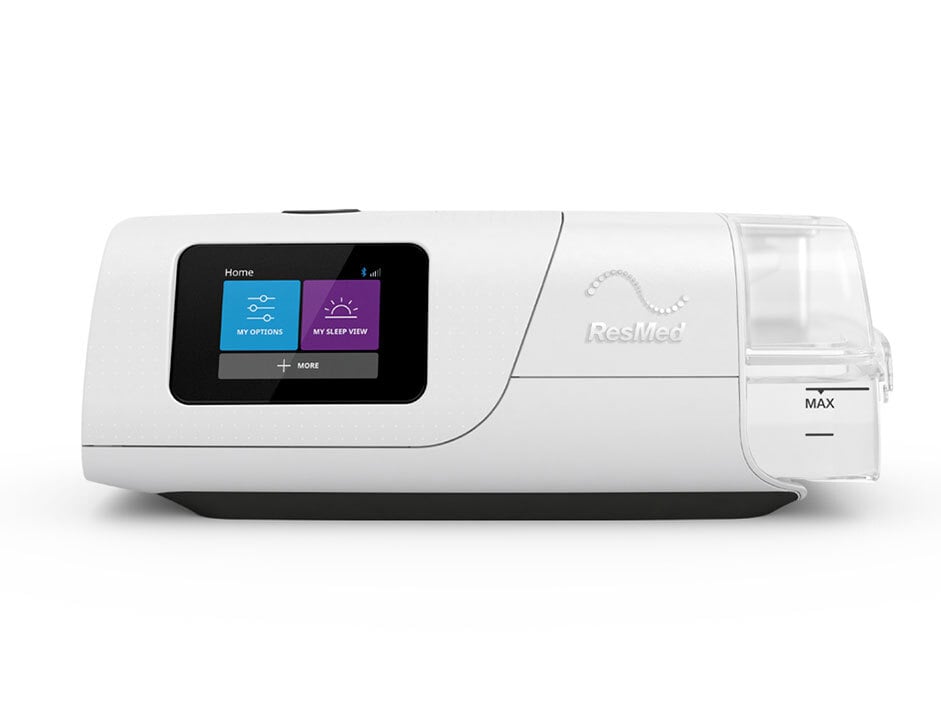
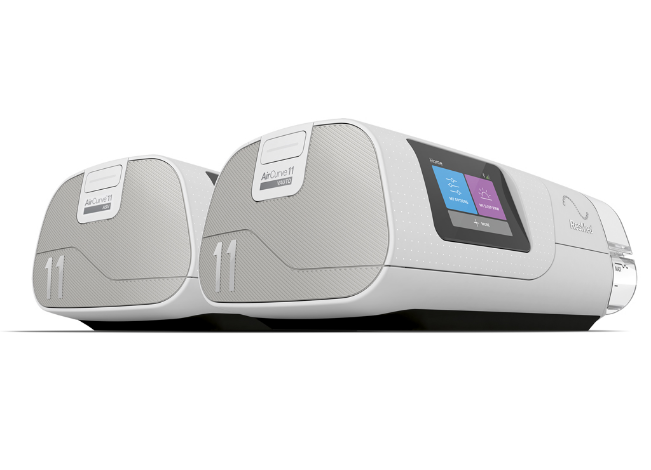
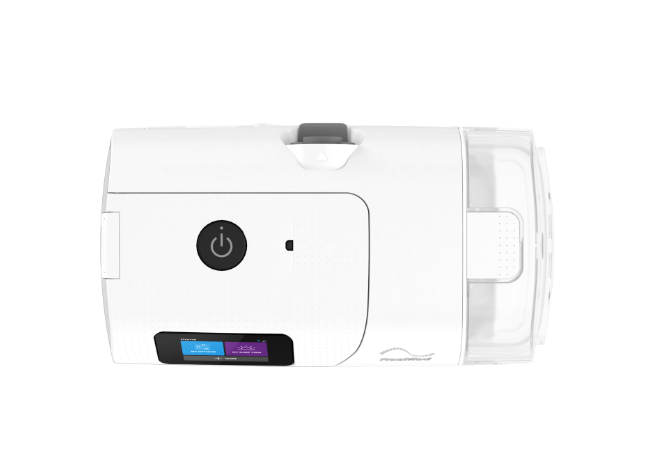
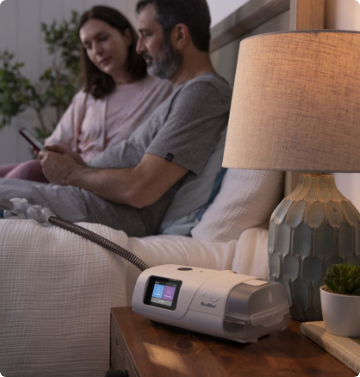
AirCurve™ 11 devices are for therapy users who benefit from greater pressure support. These bilevel machines include two pressure level settings: a higher pressure when you inhale, and a lower pressure that makes it easier to exhale.
AirCurve 11 includes myAir™, Care Check-In and Personal Therapy Assistant, digital health solutions designed to help you start therapy and stay on track.†
*ASV therapy is contraindicated in patients with chronic, symptomatic heart failure (NYHA 2-4) with reduced left ventricular ejection fraction (LVEF ≤ 45%) and moderate to severe predominant central sleep apnea.
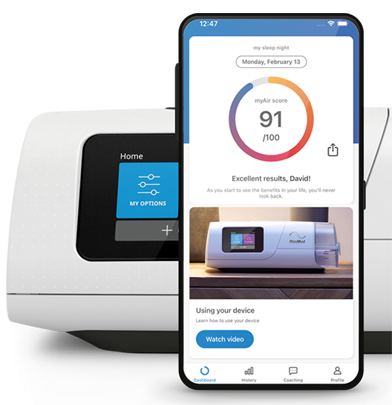
AirCurve 11 VAuto and ASV* offer myAir, an online support program and app that helps you track your therapy progress with a daily sleep score and receive encouragement along the way. It’s like having your own personal sleep coach.‡ Through myAir or your AirCurve 11 machine, Care Check-In asks you questions and, with your permission, shares your responses with your care team to better help them support your therapy journey.**
Access Personal Therapy Assistant in myAir for voice-guided instructions and videos to help guide you through equipment setup and get comfortable with therapy. Try out your AirCurve 11 machine with Test Drive, a tool within myAir’s Personal Therapy Assistant that helps you acclimate to breathing with air pressure. It also provides tips to adjust your mask if a leak is detected.
AirCurve 11 VAuto bilevel PAP device treats patients with obstructive sleep apnea (OSA) and non-compliant OSA.
AirCurve 11 ASV* adaptive servo-ventilation bilevel PAP device treats patients with central sleep apnea (CSA), obstructive sleep apnea, mixed apneas or periodic breathing.
Apnea: A cessation of airflow for ≥10 seconds.
Obstructive sleep apnea: The most common form of sleep disordered breathing (SDB). A partial or complete collapse of the upper airway caused by relaxation of the muscles controlling the soft palate and tongue.
Central sleep apnea: A type of sleep disorder that occurs when the respiratory control center in the brain fails to send a signal to the muscles that control your breathing during sleep. CSA causes you to repeatedly stop and start breathing during the night.
Mixed sleep apnea: A combination of OSA (absence of airflow but continued respiratory effort) and CSA (absence of airflow and respiratory effort). It often starts with central apnea episodes followed by obstructive apnea events.
Periodic breathing: Clusters of breaths separated by periodic intervals of not breathing (apnea) or near-apnea, as opposed to normal breathing.
This is an auto-adjusting bilevel machine for obstructive sleep apnea, which means it changes airflow pressure levels for both inhalation and exhalation based on your needs. It treats therapy users with obstructive sleep apnea (OSA) and non-compliant OSA.
Three in four sleep apnea patients agree that Resmed offers sleep solutions that help improve their quality of life1.
Designed for central sleep apnea, this bilevel adjusts to your individual breathing patterns as they change during the night. Its algorithm, called adaptive servo-ventilation (ASV), detects when you stop breathing and provides a breath.
It treats therapy users with central sleep apnea, obstructive sleep apnea, mixed apneas or periodic breathing.
People who use myAir to track their sleep while using their Resmed PAP device have been shown to sleep an average of one hour longer per night during the first 90 days of therapy than other PAP users2.
Your AirCurve 11 machine has been set up for your needs by your medical equipment supplier—the PAP store where you picked up your equipment. But it’s understandable you may want to make small adjustments based on your comfort needs. Here are some tips on how to adjust the comfort settings.
On your AirCurve 11 machine, rotate the dial to highlight My Options and press the dial to see your current settings. From here, you can personalize your options.
Humidity Level
The humidifier moistens the air and is designed to make your therapy more comfortable. With the Climate Control enhanced Auto setting‡, both temperature and humidity are automatically preset at levels designed for maximum comfort; all you have to do is plug it in and press Start.
You can also manually set the Humidity Level to Off or between 1 and 8, where 1 is the lowest humidity setting and 8 is the highest humidity setting. Note: if you’re using a ClimateLineAir™ heated tube, you will need to turn the Climate Control setting on your device from “Auto” to “Manual” to access the humidity level setting.
If you’re getting a dry nose or mouth, turn up the humidity.
If you’re getting any moisture in your mask, turn down the humidity.
How to adjust humidity:
In My Options, select Humidity Level. Scroll and select the desired humidity level.
Ramp Time
Ramp Time is designed to make the beginning of therapy more comfortable and is the period during which the airflow pressure increases from a low start pressure to your prescribed treatment pressure. You can set your Ramp Time to Off, from 5 to 45 minutes.
How to adjust Ramp Time:
In My Options, select Ramp Time and adjust to your preferred setting.
Need more help with your comfort settings? Your medical equipment supplier can help make any other necessary adjustments.
This information can also be found in your User Guide.
The home medical equipment supplier—the store where you picked up your bilevel PAP mask and machine—is responsible for providing you with ongoing clinical support, including answering any questions and helping you resolve any issues that you may be experiencing with your AirCurve 11 machine or settings. Getting used to your therapy can be challenging and there may be different equipment options that will work better for your personal comfort needs, so don’t hesitate to reach out!
To get the most out of your therapy, it’s important to properly clean your PAP equipment on a regular basis. You should clean your machine weekly and can find the full cleaning instructions in the AirCurve 11 user guide.
Ozone or UV light products3 have not been validated for use with the mask and may lead to discoloration or damage. Always follow cleaning instructions as stated in the User Guide.
Resmed has observed that prolonged and repeated use of an ozone device may eventually cause internal damage to a Resmed machine, leading to an increase in motor noise. The Resmed limited warranty excludes damage to Resmed machines caused by use of ozone devices.
It’s important to regularly inspect, clean and replace your PAP supplies, which can be affected by dirt and general wear. You should regularly check the water tub, air tubing and air filter for any signs of wear or damage.
Here are some replacement tips for your PAP parts:
1. Water tub:
1. Replace if it begins leaking or has become cracked, cloudy or pitted.
2. Replace if the seal is cracked or torn.
3. Remove any white powder deposits using a solution of one part household vinegar to 10 parts water.
2. Air tubing:
1. Replace if there are any holes, tears or cracks.
3. Air filter:
1. PAP air filters can wear out or become clogged over time, potentially exposing you to airborne particles, mold and bacteria. We recommend checking them twice per month.
For help with when and how to replace your machine parts, contact your PAP equipment store and ask if they have a replacement supply (resupply) program so you can get new parts on a consistent schedule. You should also check with your insurance provider to see what replacement parts are covered under your plan and how often you can replace them.

NOTE: ASV therapy is contraindicated for people with chronic, symptomatic heart failure (NYHA 2-4) with reduced left ventricular ejection fraction (LVEF ≤ 45%) and moderate to severe predominant central sleep apnea. Talk to your doctor for more information.
ASV therapy is safe and effective for people with central sleep apnea. It uses an adaptive servo-ventilation algorithm that detects when you stop breathing and provides you with breath.
While Resmed masks are designed to be compatible with most Resmed machines, it is best to confirm compatibility for your specific mask to determine the correct mask setting for your machine.
Here’s a list of recommended compatible masks:
Full face masks:
AirFit™ F30i
AirFit F20
AirTouch™ F20
Nasal masks:
AirFit N30i
AirFit N30
AirFit N20
AirTouch N20
Nasal pillow masks:
AirFit P30i
AirFit P10
Click here for the most up-to-date list of compatible masks.
Yes! Exclusive to the Air11 PAP series and the myAir app, Personal Therapy Assistant provides interactive voice-guided video setup instructions, as well as Test Drive, a therapy acclimation tool that can help you get comfortable using your AirCurve 11 machine. myAir also provides tailored coaching, helpful tips, encouraging messages, cleaning reminders and more to support you along your sleep therapy journey.‡
Make sure that Bluetooth® is enabled on your smartphone and then log in to the myAir app and follow the prompts to connect to the AirCurve 11 machine. If you don’t see the four-digit key on the AirCurve 11 screen, go to the Home menu and tap +More, and then tap myAir.